MB or KB bigger is a common question for anyone using computers, smartphones, or the internet. File sizes appear everywhere, but many people do not know what these units mean. As a result, choosing the right storage or understanding download sizes can become confusing.
The good news is that the answer is simple. A megabyte (MB) is much larger than a kilobyte (KB). However, knowing the numbers alone is not enough. You should also understand how these units affect your daily tasks.
This guide explains the difference in simple English. You will learn what MB and KB mean, how they compare, when each unit appears, and why file size matters. By the end, you will confidently understand which one is bigger and when each unit is used.
Quick Summary
- MB is bigger than KB.
- 1 MB equals 1,024 KB.
- KB stands for Kilobyte.
- MB stands for Megabyte.
- KB measures smaller files.
- MB measures larger files.
- Phones, computers, and cloud storage use both units.
- Understanding file size helps you manage storage more efficiently.
What Do MB and KB Mean?
Before comparing them, let’s understand each term.
KB (Kilobyte)
A kilobyte is a small unit of digital storage.
It usually measures:
- Small text files
- Simple documents
- Small images
- Configuration files
MB (Megabyte)
A megabyte is a much larger storage unit.
It often measures:
- Photos
- Songs
- PDF files
- Mobile apps
- High-quality documents
Both units measure digital data, but they represent different amounts of storage.
Is MB or KB Bigger?
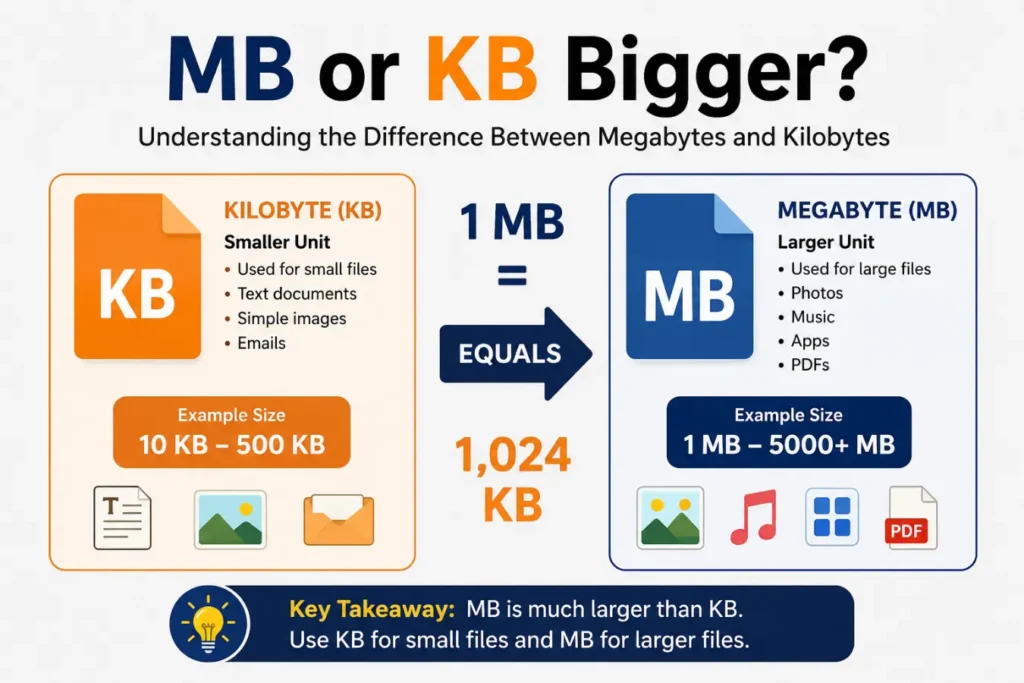
Yes. A megabyte (MB) is bigger than a kilobyte (KB).
Here is the standard conversion:
- 1 MB = 1,024 KB
- 1 KB = 1,024 bytes
This means one megabyte can hold much more information than one kilobyte.
If you compare file sizes, an MB-sized file is significantly larger than a KB-sized file.
MB vs KB Comparison Table
| Feature | KB (Kilobyte) | MB (Megabyte) |
| Full name | Kilobyte | Megabyte |
| Size | Smaller | Bigger |
| Equals | 1,024 bytes | 1,024 KB |
| Common use | Small files | Large files |
| Storage capacity | Low | High |
| Examples | Text files, icons | Photos, music, apps |
This table makes it easy to see why MB is larger than KB.
Why Does File Size Matter?
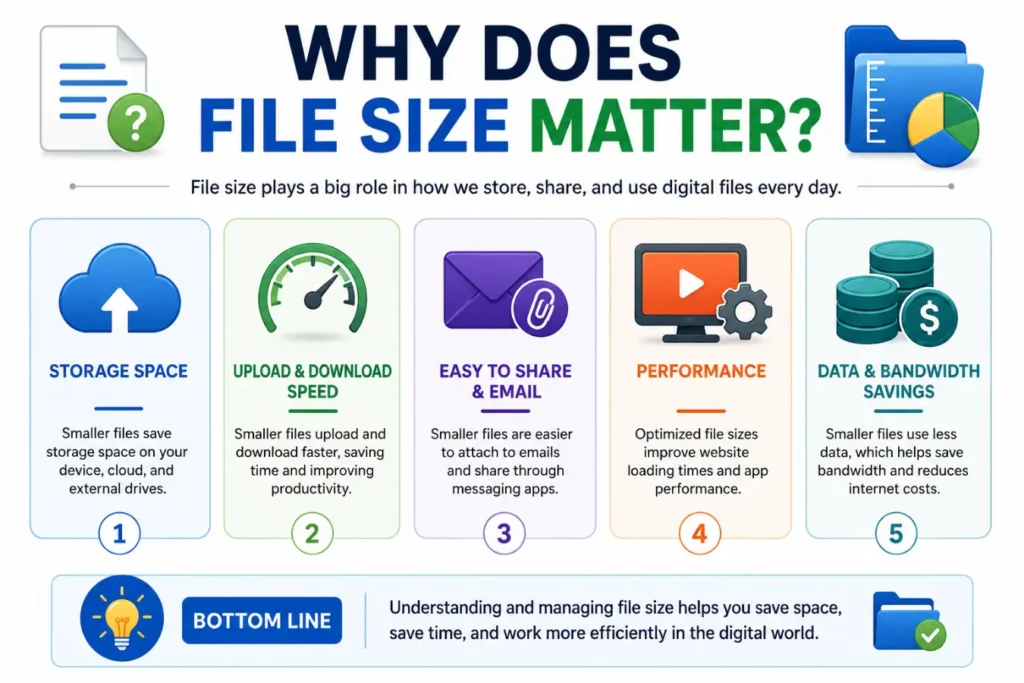
File size affects many everyday activities.
For example:
- Downloads finish faster for smaller files.
- Larger files need more storage.
- Email attachments have size limits.
- Cloud storage fills up over time.
- Backups take longer for large files.
Therefore, understanding file size helps you make better storage decisions.
Real-Life Examples of KB and MB
Real examples make the difference easier to understand.
Example 1
A plain text document may be 25 KB.
It contains only words, so it stays very small.
Example 2
A smartphone photo may be 4 MB.
High-quality images need much more storage.
Example 3
A song may be 5 MB.
Music files usually require several megabytes.
Example 4
A software installer may be 80 MB or more.
Programs include many files, so they need more space.
When Do You See KB?
You often see kilobytes with smaller digital files.
Examples include:
- Text documents
- HTML files
- Website icons
- Contact files
- Small spreadsheets
- Simple graphics
These files contain less data, so KB works well.
When Do You See MB?
Megabytes appear much more often today.
Common examples include:
- Camera photos
- Music files
- PDF books
- Mobile applications
- Presentation files
- High-resolution images
- Software updates
As technology improves, more files measure in MB instead of KB.
How to Convert MB to KB
The conversion is easy.
Use this simple formula:
1 MB = 1,024 KB
Here are a few examples:
| Megabytes | Kilobytes |
| 1 MB | 1,024 KB |
| 2 MB | 2,048 KB |
| 5 MB | 5,120 KB |
| 10 MB | 10,240 KB |
| 20 MB | 20,480 KB |
Remember this rule whenever you compare digital file sizes.
Common Mistakes People Make
Many people confuse these storage units.
Avoid these common mistakes:
- Thinking KB is larger than MB.
- Mixing storage units with internet speed.
- Ignoring file size before downloading.
- Assuming every photo has the same size.
- Confusing MB with Mbps.
Learning these differences prevents confusion when using digital devices.
Tips for Understanding Digital Storage
These simple tips make file sizes easier to understand.
- Remember that MB is larger than KB.
- Check file size before downloading.
- Delete large files you no longer need.
- Compress files before sharing them.
- Organize documents into folders.
- Use cloud storage wisely.
- Monitor available device storage.
These habits help you manage your files more efficiently.
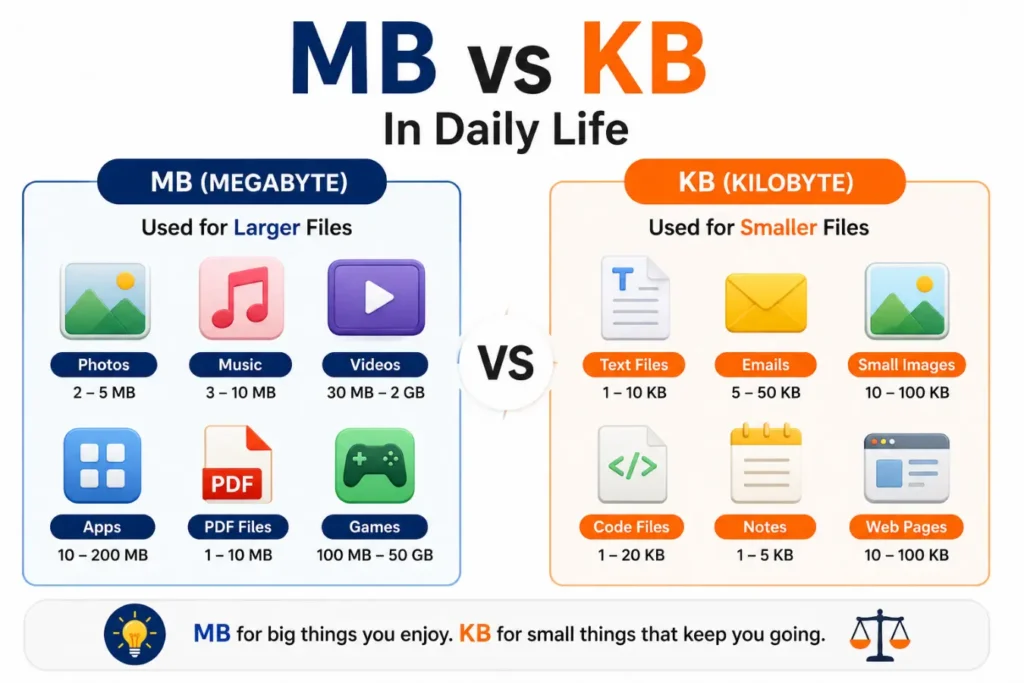
MB vs KB in Daily Life
You use both units every day, even if you do not notice them.
Here are some common examples:
| Activity | Typical File Size |
| Text document | 10–100 KB |
| Website icon | 20–200 KB |
| PDF file | 1–10 MB |
| Smartphone photo | 2–8 MB |
| MP3 song | 3–8 MB |
| Mobile app | 20–200 MB |
Small files usually use KB, while larger files use MB.
Does Internet Speed Use MB or KB?
This question often confuses people.
Internet providers usually measure speed in Mbps (megabits per second) instead of MB (megabytes).
Here is the difference:
- MB (Megabyte) measures file size.
- KB (Kilobyte) measures smaller file sizes.
- Mbps (Megabits per second) measures internet speed.
- Kbps (Kilobits per second) measures slower internet speeds.
For example, if your internet speed is 100 Mbps, it does not mean you download at 100 MB per second.
Understanding this difference helps you read internet plans correctly.
KB, MB, and Other Storage Units
KB and MB are only part of the storage scale.
Here is the order from smallest to largest:
| Unit | Full Name |
| Byte (B) | Basic storage unit |
| Kilobyte (KB) | 1,024 Bytes |
| Megabyte (MB) | 1,024 KB |
| Gigabyte (GB) | 1,024 MB |
| Terabyte (TB) | 1,024 GB |
As you move down the list, each unit becomes much larger.
Where Are MB and KB Used?
Digital storage units appear in many places.
You will commonly see them in:
- Computers
- Smartphones
- USB flash drives
- Memory cards
- Cloud storage
- Email attachments
- Photo editing software
- Download managers
- Web browsers
Learning these units makes technology easier to understand.
Synonyms
While MB or KB bigger is the main topic:
Synonyms
- Digital storage units
- File size units
- Data storage measurement
- Computer storage units
- Memory size
Expert Insights
Technology experts recommend learning basic storage units because they affect everyday digital tasks.
Knowing the difference between KB and MB helps you:
- Choose the right storage device.
- Understand download sizes.
- Manage phone storage.
- Share files more easily.
- Avoid storage-related confusion.
Although larger units like GB and TB are common today, KB and MB remain essential. They still appear in software, images, documents, and online downloads.
Frequently Asked Questions
Is MB bigger than KB?
Yes. One megabyte (MB) is larger than one kilobyte (KB). Specifically, 1 MB equals 1,024 KB.
How many KB are in 1 MB?
There are 1,024 KB in 1 MB.
Which is smaller, KB or MB?
KB is the smaller storage unit. MB holds much more data.
Why do some files use KB while others use MB?
Small files use KB because they contain less data. Larger files need MB because they store more information.
Is a photo measured in KB or MB?
Most modern smartphone photos measure in MB because they have higher quality and resolution.
Does MB measure internet speed?
No. Internet speed usually uses Mbps, while MB measures file size.
What comes after MB?
The next larger storage unit is GB (Gigabyte).
Conclusion
If you have ever wondered which file size is larger, the answer is simple. A megabyte (MB) is much larger than a kilobyte (KB). One MB equals 1,024 KB, making it the preferred unit for larger files such as photos, music, apps, and PDFs. In contrast, kilobytes are better suited for smaller files like text documents and simple images.
Understanding these storage units makes everyday technology easier to use. You can compare file sizes, manage storage, and understand downloads with more confidence. The next time you see KB or MB on your device, you will know exactly what they mean and which one is bigger.