

Write or Die is a popular writing tool that helps people stop procrastinating and finish their work. Many writers struggle to stay focused. They often open a blank page but fail to write enough words. Fortunately, this tool encourages you to keep typing until you reach your goal.
Unlike a regular word processor, Write or Die motivates you through rewards and consequences. It tracks your progress and reminds you to continue writing. As a result, many students, authors, bloggers, and content creators use it to build better writing habits.
In this guide, you will explore how the tool works, discover its key features, review real-life examples, avoid common mistakes, and learn expert tips. By the end, you will be able to decide if it suits your writing routine.
Quick Summary
- Write or Die is a writing productivity tool.
- It helps writers overcome writer’s block.
- It encourages continuous writing.
- Users can set word count and time goals.
- The tool gives rewards or penalties based on progress.
- Many students, bloggers, and authors use it.
- It helps improve focus and writing consistency.
What Is Write or Die?
Write or Die is a writing application designed to help people write without stopping.
The tool encourages continuous typing. If you stop writing for too long, it responds with reminders or other consequences, depending on your settings.
Instead of waiting for inspiration, you keep writing until you finish your session.
Many writers use this method to increase productivity and reduce procrastination.
How Does Write or Die Work?
The tool follows a simple idea.
First, you choose your writing goal.
Then, you decide how long you want to write or how many words you want to complete.
After that, you begin typing.
If you continue writing, the tool rewards your progress.
However, if you stop for too long, it activates the consequence you selected.
This system encourages steady writing without long breaks.
Why Do Writers Use Write or Die?
Many writers lose focus because they edit every sentence immediately.
Write or Die helps break that habit.
Instead of worrying about perfection, you keep moving forward.
As a result, you produce a complete first draft much faster.
People often use it to:
- Finish blog posts
- Write books
- Complete essays
- Draft reports
- Create stories
- Beat writer’s block
- Improve daily writing habits
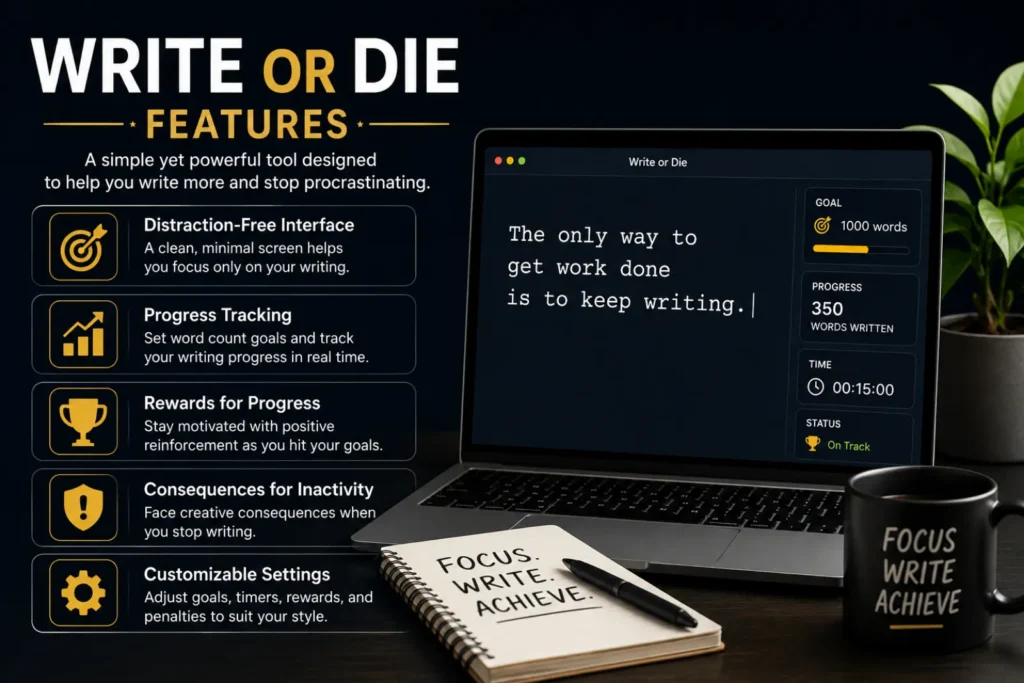
Write or Die Features
The tool offers several useful features.
Writing Goals
Set a target based on:
- Word count
- Writing time
- Writing speed
Progress Tracking
Watch your progress while you write.
This helps you stay motivated.
Custom Consequences
Choose what happens if you stop typing.
Options may include:
- Gentle reminders
- Warning sounds
- Screen effects
- Other motivational penalties
Session Reports
Review your results after each writing session.
You can see how much you accomplished.
Write or Die vs. Traditional Word Processors
| Feature | Write or Die | Traditional Word Processor |
| Main purpose | Boost writing productivity | Create and edit documents |
| Writing goals | Yes | Usually no |
| Motivation system | Yes | No |
| Progress tracking | Yes | Limited |
| Helps beat writer’s block | Yes | Not specifically |
| Editing tools | Basic | Advanced |
Both tools have value, but they serve different purposes.
Who Should Use Write or Die?
The tool works well for many people.
It is especially useful for:
- Bloggers
- Students
- Novel writers
- Freelance writers
- Copywriters
- Journalists
- Researchers
- Screenwriters
- Anyone who struggles with procrastination
If you often delay writing, this tool may help you build momentum.
Real-Life Examples
Example 1
A college student needs to finish a 2,000-word essay.
They set a goal in Write or Die.
As a result, they complete the first draft without checking social media.
Example 2
A blogger wants to publish one article every week.
The tool helps maintain a consistent writing schedule.
Soon, writing becomes part of the daily routine.
Example 3
A novelist struggles with writer’s block.
Instead of editing every paragraph, they keep writing until the chapter is complete.
Their productivity improves over time.
Common Mistakes to Avoid
Many beginners make these mistakes.
Avoid them whenever possible.
- Setting unrealistic word goals.
- Editing every sentence immediately.
- Choosing harsh penalties too early.
- Skipping regular writing sessions.
- Focusing on perfection instead of progress.
- Ignoring breaks after completing a session.
Small improvements create better long-term writing habits.
Tips for Getting the Best Results
These simple tips help you write more effectively.
- Start with small daily goals.
- Write first and edit later.
- Remove distractions before each session.
- Stay consistent every day.
- Celebrate completed goals.
- Increase your targets gradually.
- Review your progress each week.
These habits improve both speed and confidence.
Advantages and Disadvantages of Write or Die
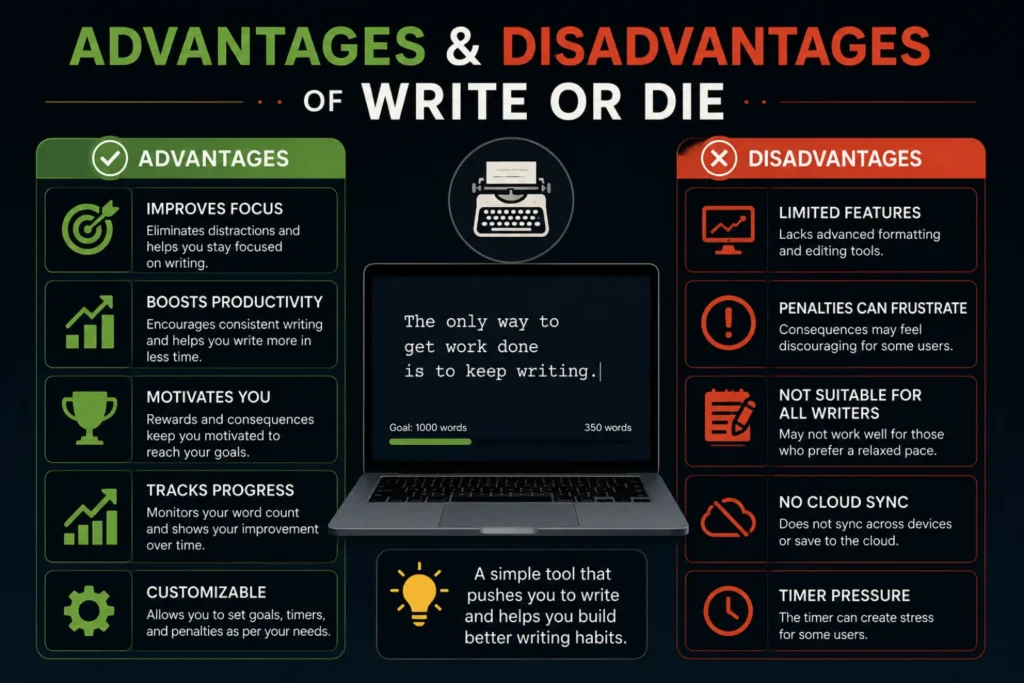
Like any writing tool, Write or Die has strengths and weaknesses.
| Advantages | Disadvantages |
| Encourages consistent writing | May feel stressful for some users |
| Helps overcome writer’s block | Limited editing features |
| Reduces procrastination | Penalties may distract beginners |
| Easy to set writing goals | Not ideal for final proofreading |
| Tracks writing progress | Requires self-discipline to use regularly |
Overall, the benefits outweigh the drawbacks for many writers who struggle to stay focused.
Best Alternatives to Write or Die
Different writers prefer different tools. Fortunately, several alternatives offer similar productivity features.
| Tool | Best For |
| FocusWriter | Distraction-free writing |
| Scrivener | Books and long projects |
| Novlr | Novel writing |
| Google Docs | Collaboration and cloud storage |
| Microsoft Word | Editing and formatting |
| LibreOffice Writer | Free document creation |
Each tool serves a different purpose. Choose one that matches your writing style and goals.
When Should You Use Write or Die?
Write or Die works best during the drafting stage.
Consider using it when you:
- Start a new article.
- Write a blog post.
- Finish a school assignment.
- Work on a novel.
- Prepare a speech.
- Draft marketing content.
- Build a daily writing habit.
However, switch to a standard editor when you need detailed proofreading and formatting.
Related Writing Productivity Terms
Learning related terms helps you understand writing tools better.
Synonyms
- Writing productivity tool
- Writing software
- Focus writing app
- Drafting tool
- Writing assistant
- Writing timer
Related Search Terms
- Write or Die app
- Write or Die review
- How to use Write or Die
- Best writing productivity tools
- Apps to beat writer’s block
- Writing motivation software
- Focus writing application
- Distraction-free writing tools
- Writing goal tracker
These related phrases match common search queries and support the main topic naturally.
Expert Insights
Professional writers often separate drafting from editing.
Write or Die supports this approach by encouraging uninterrupted writing sessions. Instead of fixing every sentence immediately, writers focus on completing a full draft first.
This habit improves productivity and reduces writer’s block. It also helps writers build consistency over time. While the tool cannot replace a full-featured editor, it works well as a motivation tool for creating first drafts.
The best results come from combining Write or Die with regular editing and proofreading after each session.
Frequently Asked Questions
What is Write or Die?
Write or Die is a writing productivity tool that encourages continuous writing by using goals and motivational consequences.
Is Write or Die free?
Some versions offer free features, while others include paid options with additional tools and customization.
Who should use Write or Die?
Students, bloggers, authors, copywriters, journalists, and anyone who struggles with procrastination can benefit from it.
Does Write or Die help with writer’s block?
Yes. It encourages continuous writing, which helps many users overcome writer’s block and finish first drafts.
Can I edit my work in Write or Die?
Yes, but the tool focuses on drafting rather than advanced editing. Many writers edit their work later in another word processor.
Is Write or Die good for novel writing?
Yes. Many novelists use it to complete chapters faster and maintain a steady writing routine.
What is the best alternative to Write or Die?
It depends on your needs. Tools like FocusWriter, Scrivener, and Novlr are popular alternatives for different writing styles.
Conclusion
If you struggle to stay focused while writing, Write or Die can become a valuable part of your routine. It encourages continuous writing, reduces procrastination, and helps you complete first drafts with greater confidence. Instead of waiting for perfect ideas, you keep moving forward until you reach your goal.
Although the tool does not replace a full-featured editor, it works exceptionally well for brainstorming, drafting, and building consistent writing habits. Pair it with careful editing after each session for the best results. With regular use, you can write more consistently and finish projects faster, regardless of your experience level.