If you’ve ever wondered what’s bigger, MB or GB, you’re not alone. Millions of people ask this question every day. Understanding these terms helps you manage your phone storage, download files, and choose the right internet plan. MB stands for megabyte. GB stands for gigabyte. Both measure digital data. However, one is much larger than the other. Knowing the difference saves you from running out of storage space. It also helps you make smarter tech decisions. In this article, you’ll learn exactly what MB and GB mean. You’ll also see real-life examples that make everything crystal clear. Furthermore, you’ll find a simple comparison table to use as a quick reference. Let’s get started.
Quick Summary Box — Featured Snippet
- GB is bigger than MB
- 1 GB = 1,024 MB
- MB (Megabyte) is used for small files like photos and songs
- GB (Gigabyte) is used for larger files like movies and apps
- Your phone storage is measured in GB
- Your internet speed uses MB per second (MBps)
- Knowing the difference helps you manage storage wisely
What Does MB Mean?
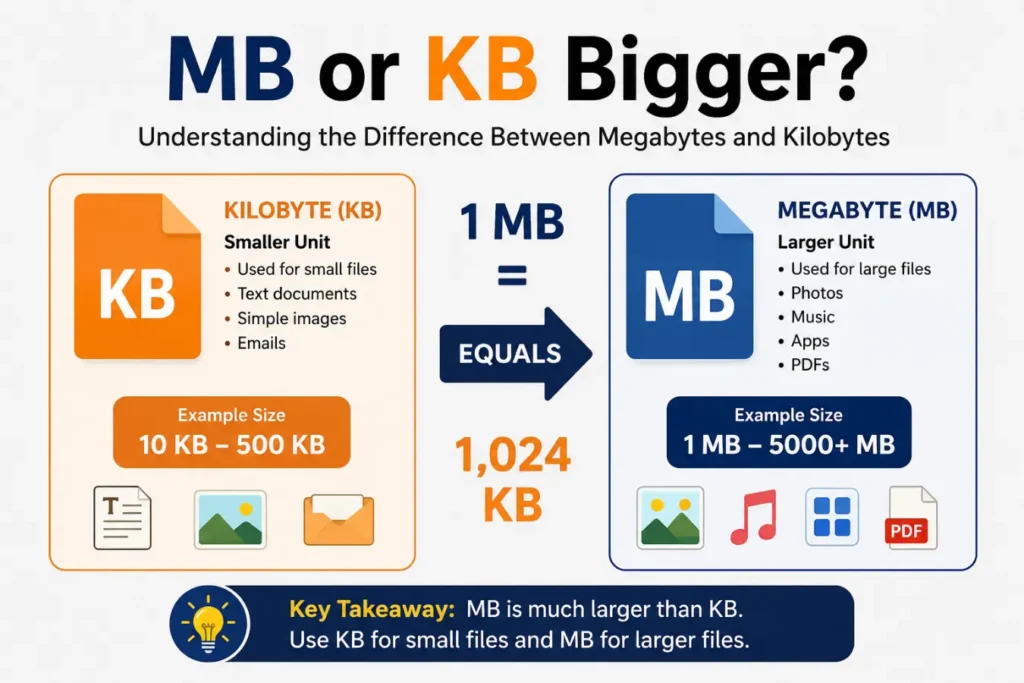
MB stands for megabyte. It is a unit of digital storage. One megabyte equals 1,024 kilobytes (KB). Think of it as a medium-sized container for data. For example, a regular photo on your phone is about 3–5 MB. A three-minute song is roughly 3–4 MB. MB was the standard unit for file sizes years ago. Today, however, most files have grown much larger. Therefore, we now use GB more commonly. Still, MB remains useful for measuring smaller files, emails, and documents.
What Does GB Mean?
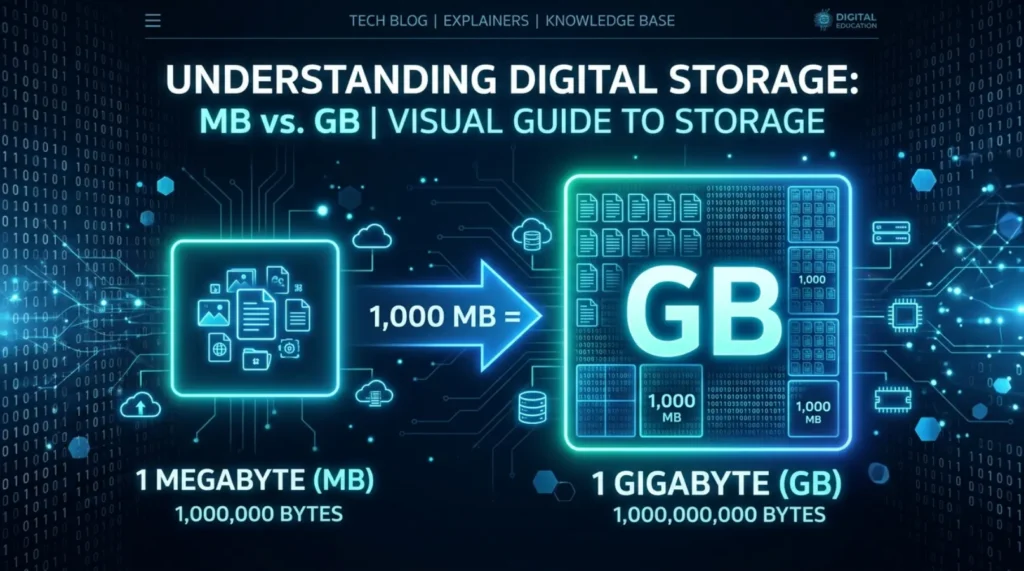
GB stands for gigabyte. It is a larger unit of digital storage. One gigabyte equals 1,024 megabytes. So, GB is exactly 1,024 times bigger than MB. Your smartphone likely has 64 GB, 128 GB, or 256 GB of storage. A full HD movie is around 1–4 GB. A modern video game can take up 50–100 GB. Because of this, GB is the most commonly used storage unit today. Moreover, GB is the standard for measuring phone storage, laptop drives, and internet data plans.
What’s Bigger, MB or GB? The Direct Answer
GB is bigger than MB. This is the simple, direct answer. One GB holds 1,024 MBs inside it. Imagine a large bucket (GB) filled with smaller cups (MB). Each bucket holds 1,024 cups. So, whenever you see GB, know it represents much more data than MB. For instance, if your phone has 1 GB of storage left, that equals 1,024 MB of free space. Consequently, GB can store far more files, videos, and apps than MB.
MB vs GB — Simple Comparison Table
| Feature | MB (Megabyte) | GB (Gigabyte) |
| Full Form | Megabyte | Gigabyte |
| Size | Smaller | Larger |
| Equal To | 1,024 KB | 1,024 MB |
| Common Use | Photos, songs, emails | Movies, apps, OS files |
| Phone Storage | Not used | 64 GB, 128 GB, 256 GB |
| Internet Plans | Smaller data packs | Standard data packs |
| File Examples | 3 MB photo, 4 MB song | 2 GB movie, 4 GB app |
| Speed Measurement | MBps (Megabytes per second) | GBps (Gigabytes per second) |
Real-Life Examples of MB and GB
Real-life examples make this topic much easier to understand. Here are some everyday comparisons:
Examples of things measured in MB:
- A JPEG photo from your phone — about 3–5 MB
- A three-minute MP3 song — roughly 3–4 MB
- A short PDF document — about 1–2 MB
- An email with an attachment — around 5–10 MB
Examples of things measured in GB:
- A full HD movie (1080p) — about 2–4 GB
- A smartphone app like Instagram — roughly 0.5–1 GB
- A video game on console — typically 30–100 GB
- Your phone’s built-in storage — usually 64 GB or more
Therefore, when you download a song, MB is enough. But when you download a movie or a game, GB becomes the right unit.
How Many MB Are in a GB? The Math Made Simple
This is one of the most commonly searched questions. Here’s the clear answer:
1 GB = 1,024 MB
Additionally, here’s how the data units scale up:
- 1 KB (Kilobyte) = 1,024 Bytes
- 1 MB (Megabyte) = 1,024 KB
- 1 GB (Gigabyte) = 1,024 MB
- 1 TB (Terabyte) = 1,024 GB
So, as you move up the scale, each unit is 1,024 times bigger than the one before it. Furthermore, after GB comes TB (terabyte), which is used for large hard drives and cloud storage.
MB vs GB in Internet Data Plans — What You Need to Know
Internet providers measure your data in MB and GB. Understanding the difference helps you choose the right plan. A 500 MB data plan runs out very quickly. You could use it up in a single hour of video streaming. On the other hand, a 5 GB data plan lasts much longer. Additionally, most home broadband plans today offer unlimited GB of data. Mobile data plans often range from 1 GB to 100 GB per month. So, always look for GB-based plans if you stream videos or browse heavily. Moreover, internet download speed is often measured in Mbps (megabits per second), not MB. Note that Mb (megabit) and MB (megabyte) are different. One MB equals 8 megabits.
Common Mistakes People Make With MB and GB
Many people confuse MB and GB. Here are the most common mistakes to avoid:
Mistake 1: Thinking MB and GB are similar in size
They are not. GB is 1,024 times bigger. This is a huge difference.
Mistake 2: Confusing Mbps with MBps
Mbps means megabits per second (used for internet speed). MBps means megabytes per second (used for file transfer). They are completely different.
Mistake 3: Buying a data plan without checking the unit
Always verify if your plan is in MB or GB. A 500 MB plan is very small. A 500 GB plan is very generous.
Mistake 4: Thinking more GB always means faster speed
GB measures storage, not speed. More GB means more space, not faster performance.
Mistake 5: Ignoring storage warnings
When your phone says storage is low, it means GB is running out. Clearing old photos and apps helps free up GB quickly.
Tips and Tricks to Manage Your MB and GB Wisely
Here are some practical tips to make the most of your storage:
- Stream instead of download — Saves GB on your device
- Use cloud storage — Google Drive and iCloud give you free GB online
- Compress photos — Apps like Google Photos reduce MB used per image
- Delete unused apps — A single game can take 2–5 GB
- Monitor your data — Check your phone’s settings to see GB used
- Use Wi-Fi for large downloads — Avoid using mobile GB for big files
- Back up regularly — Move photos to cloud to free up phone GB
MB and GB in Daily Life — Where You See Them Every Day
You encounter MB and GB every single day. Here are some examples:
- Smartphone storage: Phones come in 64 GB, 128 GB, or 256 GB options
- Laptop hard drives: Typically 256 GB to 1 TB (1,000 GB)
- USB flash drives: Available in 8 GB, 16 GB, 32 GB, or 64 GB
- Email attachments: Gmail allows up to 25 MB per email
- WhatsApp media: Videos sent on WhatsApp are compressed to a few MB
- Netflix streaming: One hour of HD video uses about 3 GB
- App downloads: Apps on the Play Store show sizes in MB and GB
Synonyms and Related Terms You Should Know
To fully understand this topic, here are related terms:
- Megabyte (MB) — also called “meg” in informal speech
- Gigabyte (GB) — also called “gig” in everyday conversation
- Kilobyte (KB) — smaller than MB; used for tiny text files
- Terabyte (TB) — larger than GB; used for hard drives
- Data storage — the general term for MB, GB, TB capacity
- Memory — often used interchangeably with storage in casual talk
- Digital storage unit — the technical category that includes MB and GB
- File size — the amount of MB or GB a file takes up
- Disk space — the total GB available on a device
Expert Insight — Why This Knowledge Matters
Understanding MB vs GB is more important than ever. Here’s why experts recommend learning this:
1. Smarter phone purchases: When you buy a new phone, you’ll know that 128 GB is twice as much storage as 64 GB. This directly affects your budget and usage.
2. Better internet plan choices: Knowing that 1 GB equals 1,024 MB helps you avoid buying a plan that runs out too fast.
3. Improved digital literacy: Tech companies, employers, and schools expect basic knowledge of data units. Furthermore, this knowledge helps you troubleshoot storage issues independently.
4. Cost savings: Many people overpay for storage they don’t need. Understanding MB and GB helps you buy only what you actually use.
5. Cloud storage decisions: Free cloud plans often give 15 GB. Knowing how many MB that equals helps you plan your uploads wisely.
Frequently Asked Questions (FAQ)
Q1: What’s bigger, MB or GB?
GB is bigger. One GB equals 1,024 MB. GB is always the larger unit.
Q2: How many MB make one GB?
Exactly 1,024 MB make one GB. This is the standard measurement used worldwide.
Q3: Is 1 GB a lot of storage?
It depends on usage. For browsing and emails, 1 GB is decent. For videos and games, it runs out quickly.
Q4: Is internet speed measured in MB or GB?
Internet speed is usually measured in Mbps (megabits per second). This is different from MB (megabytes).
Q5: What comes after GB?
After GB comes TB (terabyte). One terabyte equals 1,024 GB. TB is used for large hard drives and cloud servers.
Q6: How much data does streaming use in MB or GB?
Streaming HD video uses about 3 GB per hour. Standard quality uses around 1 GB per hour.
Q7: Is RAM measured in MB or GB?
Modern RAM is measured in GB. Common sizes are 4 GB, 8 GB, and 16 GB. Older devices used MB-sized RAM.
Q8: Why do phone apps show sizes in MB?
Small apps show sizes in MB because they take less than 1 GB of space. Larger apps and games show sizes in GB.
Conclusion
So, to wrap things up — GB is bigger than MB. One GB equals 1,024 MB. This simple fact helps you make better decisions every day. Whether you’re buying a phone, choosing an internet plan, or downloading files, knowing the difference between MB and GB puts you in control. MB handles smaller files like photos and songs. GB handles bigger content like movies and apps. Furthermore, as technology advances, we’re moving toward even larger units like TB and PB. Start with MB and GB, and the rest becomes easy. Now that you know what’s bigger — MB or GB — share this with someone who needs to know too. Knowledge like this makes everyday tech life much simpler.